Unlocking Creativity with the 3D Laser Engrave PNG Bundle
Understanding the 3D Laser Engrave PNG Bundle
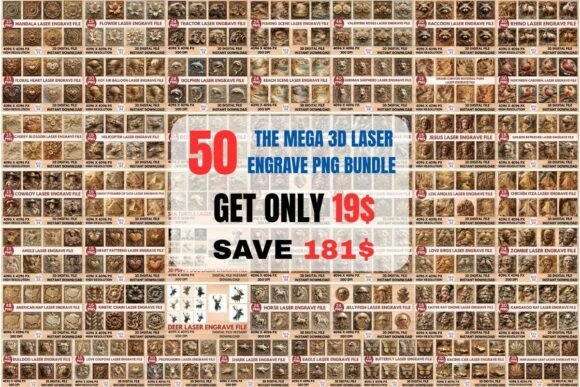
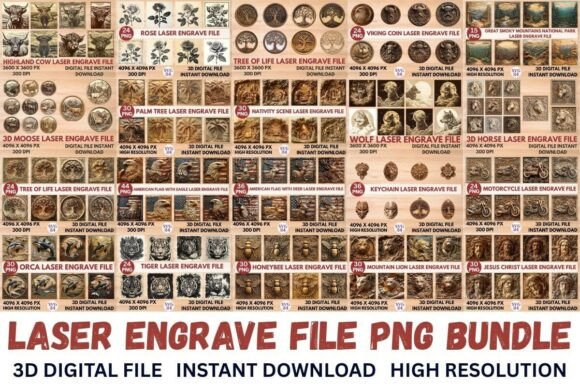
The 3D Laser Engrave PNG Bundle is a comprehensive collection of high-resolution PNG files specifically designed for laser engraving. This bundle includes 480 PNG files, divided into 240 coloring PNG files and 240 grayscale PNG files, each optimized for compatibility with a wide range of laser engraving devices such as Glowforge, xTool, and LightBurn.
Key Features of the 3D Laser Engrave PNG Bundle
- High Resolution: Each file is 13 x 13 inches or 4096 x 4096 pixels, ensuring crisp and detailed engravings.
- Versatile Formats: The bundle provides both coloring and grayscale PNG files, catering to different design needs.
- Transparent Backgrounds: All PNG files come with transparent backgrounds, making them ideal for various creative projects.
- Instant Download: Access your files immediately after purchase, streamlining your workflow.
Applications and Use Cases
The 3D Laser Engrave PNG Bundle is not just a set of images; it's a versatile tool that can be used in a multitude of creative and professional settings. Here are some of the most popular applications:
Home Decor
Enhance your living space with custom engravings on wood, acrylic, or even metal. The high-resolution PNG files in the bundle allow for intricate designs that can transform ordinary objects into unique pieces of art.
Wood Crafting
For woodworkers and crafters, the 3D Laser Engrave PNG Bundle offers a treasure trove of design options. Whether you're creating personalized gifts, signage, or decorative items, the detailed and high-quality PNG files ensure that your projects stand out.
Stationery and Textile Design
Incorporate these PNG files into stationery and textile designs for a touch of elegance and personalization. From custom notebooks and planners to embroidered clothing and accessories, the possibilities are endless.
Compatibility and Setup
To get the most out of the 3D Laser Engrave PNG Bundle, it's essential to ensure that your machine and software are compatible. Here are some recommended settings for popular laser engraving devices:
Glowforge Machine Settings
- Speed: 1000
- Power: 90
- Grayscale: Vary Power
- Max Quality
- Lines Per Inch: 270 (increase if needed)
- Number Of Passes: 1
- No Masking
- Lighter wood is recommended for optimal results
LightBurn Machine Settings
For LightBurn users, the PNG files are dithered using a Jarvis dither filter, which ensures optimal compatibility and accurate reproduction of the design. It is recommended to use the grayscale PNG files for the best results.
Advantages and Considerations
The 3D Laser Engrave PNG Bundle offers several advantages, but there are also some considerations to keep in mind:
Advantages
- High-Quality Resolution: The 4096 x 4096 pixel resolution ensures that every detail is captured, resulting in sharp and clear engravings.
- Versatile Formats: Both coloring and grayscale PNG files provide flexibility, allowing you to choose the format that best suits your project.
- Instant Accessibility: Immediate access to the files after purchase means you can start your projects without delay.
Considerations
- Machine Compatibility: Before purchasing, verify that your laser engraving device and software are compatible with the PNG files.
- Material Selection: While the PNG files are versatile, the choice of material can significantly impact the final result. Lighter woods and specific types of acrylics and metals work best.
Conclusion
The 3D Laser Engrave PNG Bundle is a powerful resource for anyone involved in laser engraving, whether you're a professional, hobbyist, or business owner. With its high-resolution, versatile formats, and instant accessibility, this bundle opens up a world of creative possibilities. By following the recommended settings and considering the material, you can achieve stunning and precise engravings that will impress and inspire.